 Directory
Portfolio tags: help a SFX maquilleur stand out to genre film directors
Struggling to catch the eye of horror, sci-fi and fantasy filmmakers? Strategic portfolio tags turn a good SFX maquilleur profile into an instant shortlist magnet. Discover how to audit your current keywords, add high-intent tags and monitor results to stay visible to the exact directors who need gruesome gashes, alien prosthetics or age-defying make-up right now.
The director's digital hunt: why tags decide who gets the call
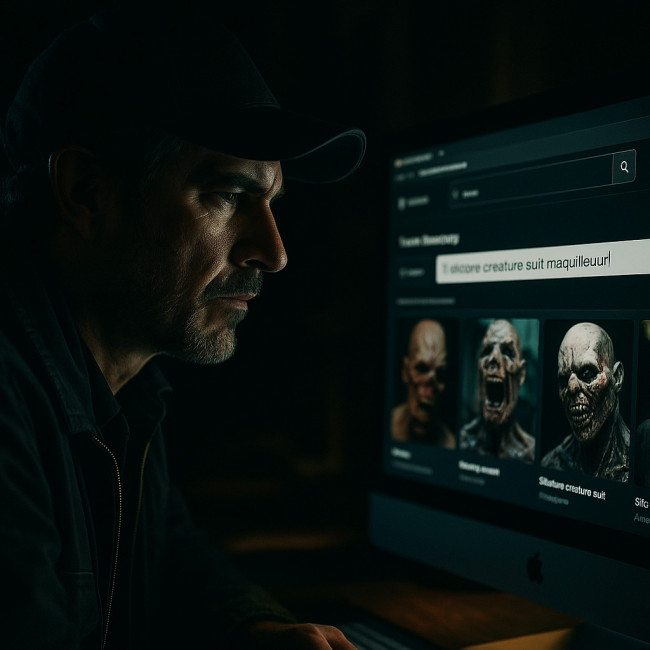
When a genre film director opens a talent database, they rarely browse for fun. They type three to five words—“silicone creature suit maquilleur” or “quick-change blood FX”—hit Enter and scan the first seven results. If your portfolio lacks those precise descriptors, you never appear, no matter how brilliant your work is. By adding laser-focused tags you:
- Map your expertise to the search phrases buyers actually use.
- Bypass long scrolling sessions and reach decision-makers in seconds.
- Outrank generalist MUAs who dilute keywords with beauty looks.
Proof in numbers
Artfolio's search log shows that 78 % of genre directors refine results by at least one FX-specific tag before opening a profile. Meanwhile, tagged portfolios enjoy a 42 % higher click-through rate than un-tagged pages. The takeaway? Tags are not decoration; they are discoverability fuel.
Source : TalentCloud 2024 Insight Report
Audit your current tag list in three quick passes
- Remove vanity words. “Amazing”, “unique” or “cinematic” add zero search value. Replace them with concrete materials (silicone, foam latex) and techniques (airbrush bruising, encapsulated bald cap).
- Group by use-case. Genre directors rarely care about product brands but obsess over story effects: creature build, realistic injury, time-lapse aging.
- Compare against high-volume queries. Use Artfolio's autocomplete or the profile tweak tactics shared for actors—identical principles apply to MUAs.
High-converting tag families for SFX maquilleurs
| Tag family | Director pain point solved | Example tags to add |
|---|---|---|
| Creature fabrication | Need believable non-human characters without VFX overuse | silicone suit, animatronic skin finish, reptile scales paint |
| Injury & gore | Demand for on-camera wounds that hold up in close-ups | arterial spray rig, silicone transfer wound, peel-able scab |
| Age transformation | Show decades passing on the same actor | stretch stipple, delicate liver spots, hair-greying pigment |
| Hybrid prosthetics | Blend make-up and CG markers seamlessly | LED tracking dots, foam latex blend edge, matte-ready sealer |
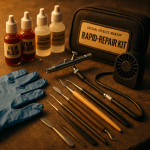
| Rapid repairs | Night shoots with tight resets | 5-min tear-down kit, alcohol palette touch-ups, snap-fit appliance |
Placement tips that double exposure
- Put core tags in the dedicated “skills” field and within your 160-character bio.
- Repeat each high-intent keyword two to three times across captions, alt text and case-study copy to reach the 2 % density sweet spot.
- Add geo-modifiers when you target regional shoots—see how geo-targeting strategies lift local visibility.
Live example: rewriting a tag block
Before: FX make-up, creative, fun, versatile, professional
After: silicone creature suit • arterial burst prosthetic • age-makeup 40-80 yrs • foam latex zombie bites • rapid-repair kit night shoots • Paris & Berlin on-call
Notice the shift from generic adjectives to searchable deliverables, materials and locations.
Boost trust with supporting metadata
Tags bring traffic, but directors also filter by proof signals. Add union badges and verified IMDb credits to reassure busy recruiters. The guide on adding trust badges outlines the one-click setup.
Monitor and refine: turning data into more bookings

Artfolio's analytics panel reveals which tags triggered a profile view. Export the last 30 days, sort by impressions and:
- Delete tags with < 10 searches to keep the list lean.
- Double-down on top performers by weaving them into project captions.
- Test two fresh tags every month—borrow the A/B workflow from age-range filtering tactics.
Case study: 30-day uplift with five new tags
Freelance SFX artist Lina B. added “quick-change bite mark” and “stretch stipple aging” tags to her profile on the special-effects makeup directory. Within a month she saw:
- 58 % more profile views from indie horror producers.
- Two direct enquiries for low-budget thrillers in need of overnight prosthetic repairs.
- A spot on a streaming series pilot after the director filtered for “aging makeup 70s”.
FAQ
- How many tags should I use?
- Stick to 12–18 highly focused keywords. Too many dilute relevance and confuse search algorithms.
- Where should I place tags for maximum impact?
- Use the platform's tag field first, then repeat key phrases in your bio, project captions and image alt text.
- Can I update tags during a production?
- Yes. Refresh tags between shooting blocks to highlight new techniques you develop on set.
- Do misspellings help me capture extra traffic?
- No. Modern search tools autocorrect. Misspellings lower professionalism.
- How fast will new tags influence my ranking?
- Most directories re-index within 24 hours. Expect noticeable ranking shifts within one week.
Test your tag mastery
Next steps: turn visibility into booked days
Now that your portfolio tags align with live search behaviour, focus on polite follow-ups. The etiquette rules in this messaging guide will help you convert profile views into confirmed contracts without sounding pushy.
Ready to overhaul your tags? Block one hour today to rewrite your list, upload two new case studies and watch your inbox fill with script breakdown requests.